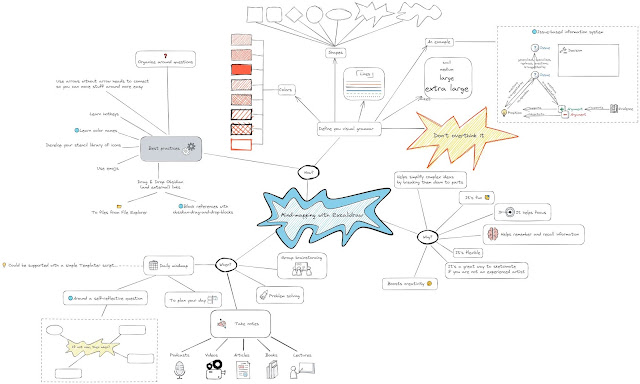
Mind-mapping is a powerful tool. In this post I will show you how and when I mindmap with Excalidraw in Obsidian and why mindmapping is such a good tool for Personal Knowledge Management.


A blog about thinking tools, business analysis techniques and models, algorithms of thought, note taking, journaling, visual thinking, mind mapping, task management and productivity.
Mind-mapping is a powerful tool. In this post I will show you how and when I mindmap with Excalidraw in Obsidian and why mindmapping is such a good tool for Personal Knowledge Management.
This is really awesome. Thank you so much for doing this. Could you please clarify one thing for me? A page done in excalidraw in Obsidian - is that saved as .md so that I can see it in other markdown apps?
ReplyDeleteAccessibility from other markdown applications is not the reason. An excalidraw.md file will not display the drawing in other markdown applications. There are several reasons for .md excalidraw file in Obsidian. This way built in Obsidian features apply to Excalidraw drawings as well. This includes backlinks, the update of links if the filename of linked documents change, and inclusion of Excalidraw drawings in Graph view… to name a few.
DeleteAny way to link from a drawn object to another Note in Obsidian?
DeleteYou mean to add a link to an object like a box or a circle? What you can do currently is to group a text element with the object, add your link to the text element [[link to page|alias]] and set the stroke color of the text element to transparent. This way when you CTRL+Click the group, Excalidraw will find the text element and follow the link in the text element.
DeleteIs this what you had in mind?
Perfect (thanks for the quick response) … yes this works, and it works fantastic. Now I can draw a visual map to my detailed notes. Next-up: to get a background image to load into the drawing space and allow me to draw my vector objects OVER the image. ;-)
DeleteI assume you have seen this...
Deletehttps://youtu.be/LFxQwGcnlYQ